beta · invite only
for freelance creatives & students

your hours, growinginto paid invoices.

water a plant while you work. send one agreement; your client reads, signs and pays on one page.
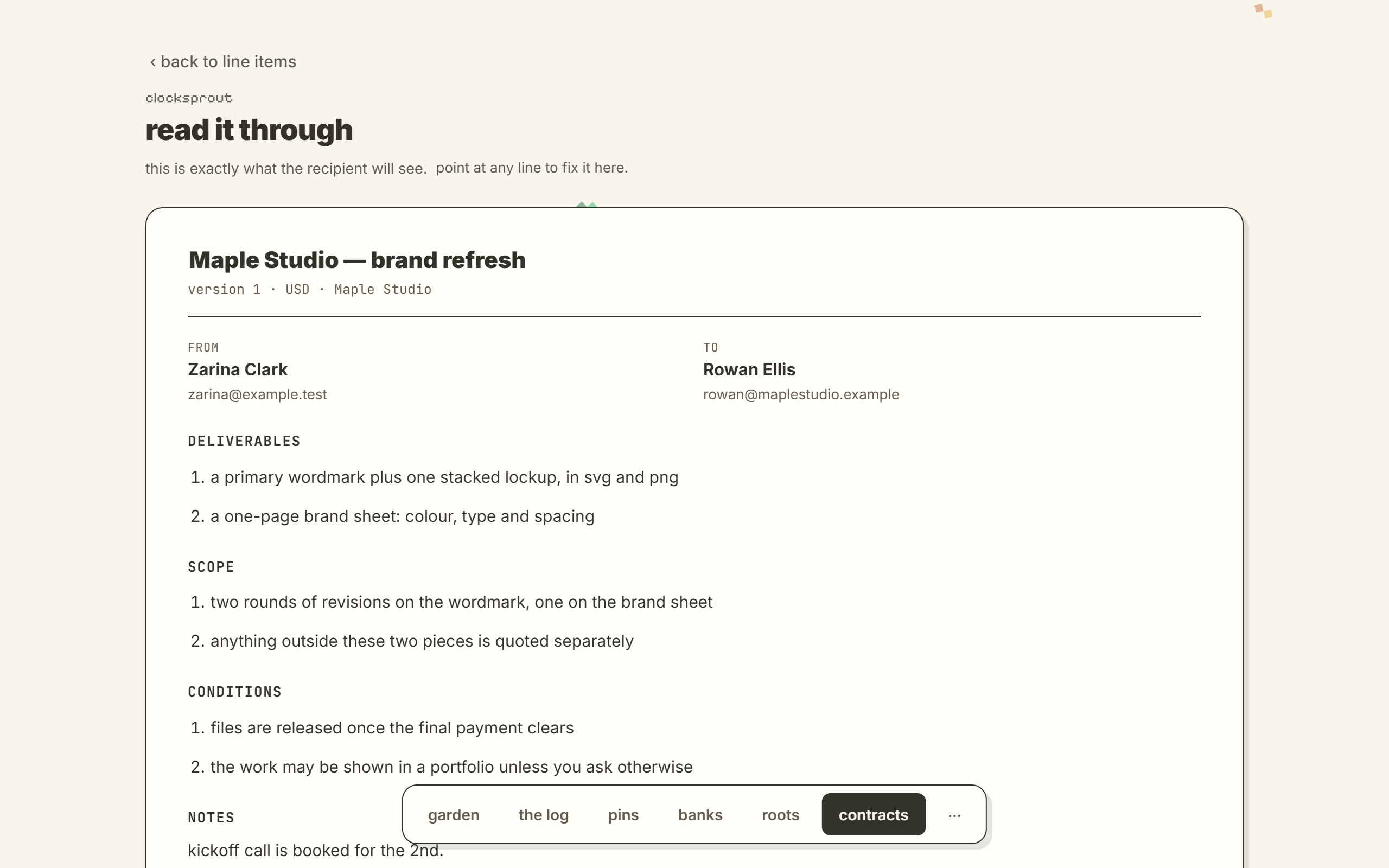
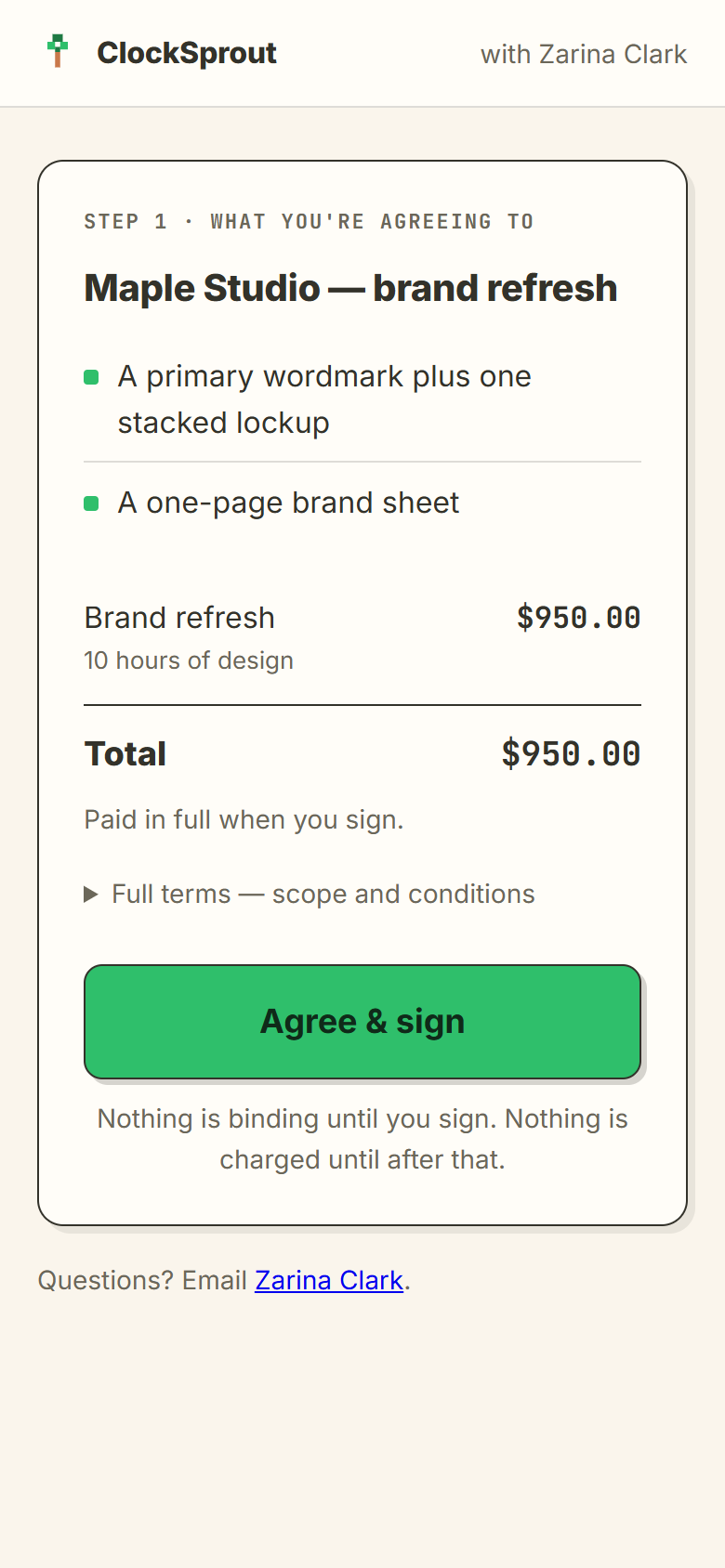
the read-through in the app: the agreement exactly as the client will see it
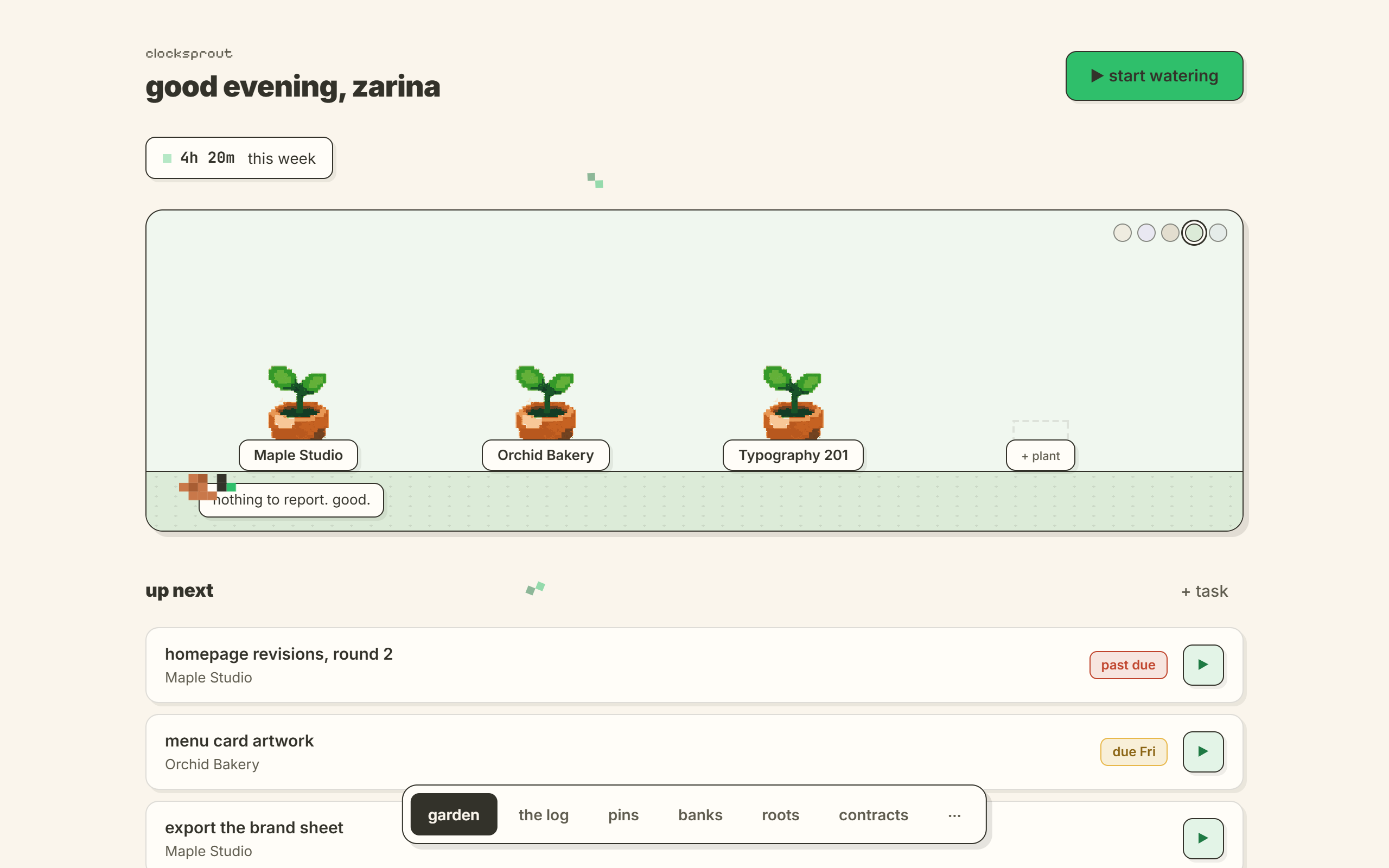
the garden in the app: three client plants on a shelf and an empty pot, with the week’s hours above
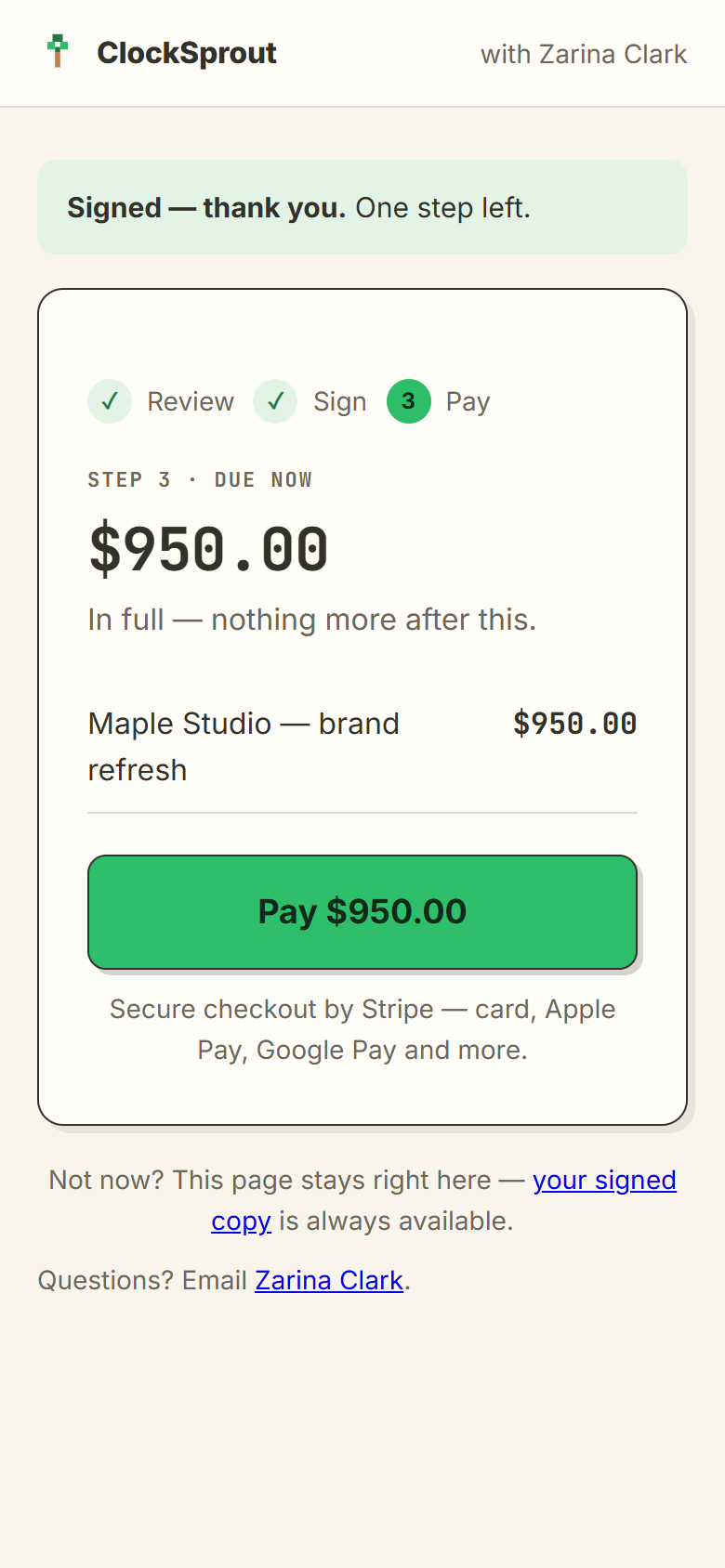
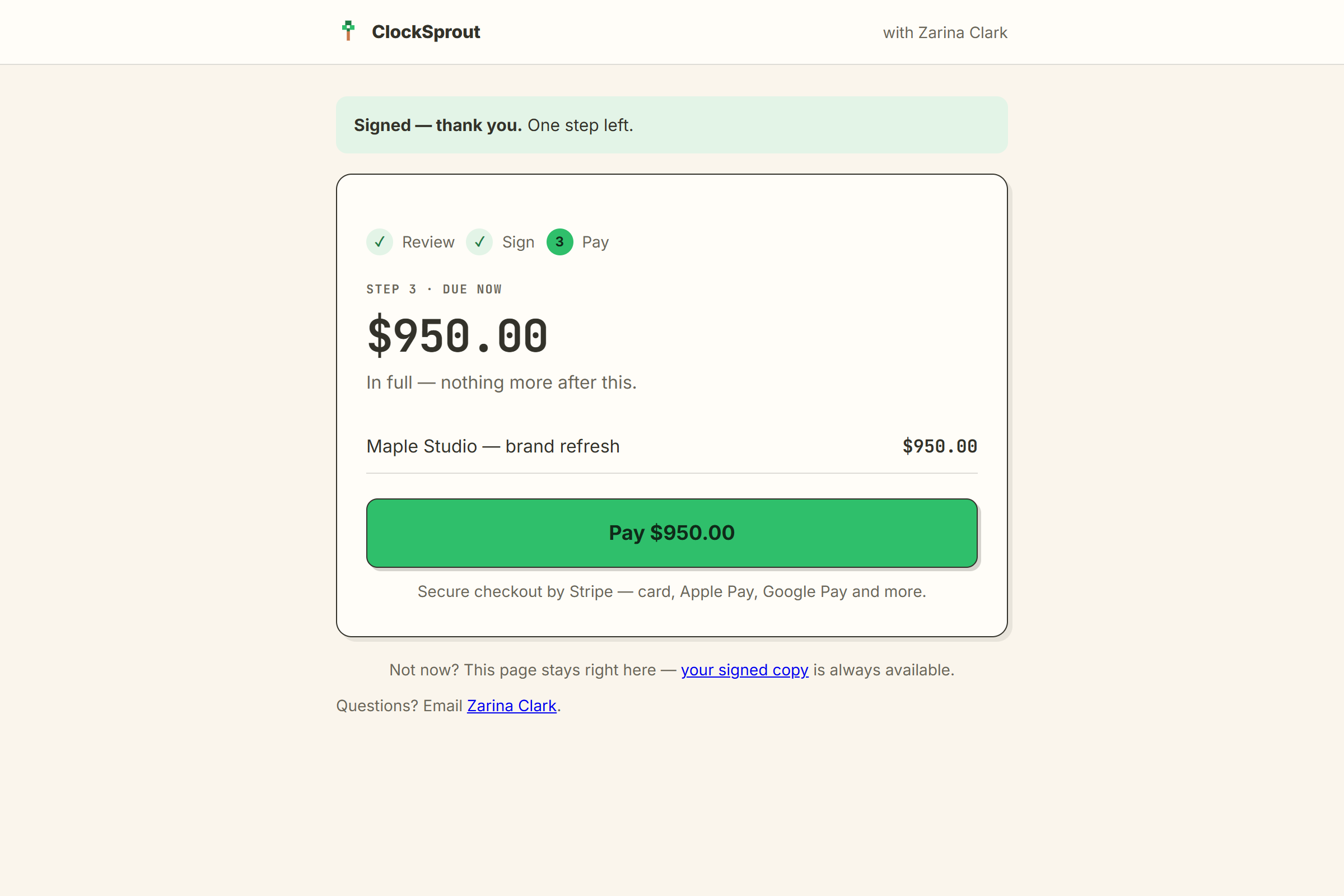
the client’s page on a phone: signed, thank you — $950 due now, one pay button
a person with dark curly hair typing at an olive desk, in a clay tee and dark dungarees, a pothos in a pot beside the laptop
a red-haired woman with a bun, chin on hand, in an olive cardigan and a clay dress, at an olive desk with a laptop and a pothos
what it does

three steps. that’s the whole loop.

the garden in the app: three client plants on a shelf and an empty pot, with the week’s hours above the read-through in the app: the agreement exactly as the client will see it the client’s page: signed, thank you — $950 due now, one pay button
01 · grow

water a plant. the hours become leaves.

start a session and a pot fills while you work. every leaf is time you can bill.

the garden in the app
02 · send

write the agreement. press send once.

read it through exactly as your client will. one email goes out, with one link in it.

the read-through in the app
03 · get paid

they sign and pay on one page.

card, apple pay, klarna or afterpay — straight into your own stripe. no account, nothing to install.
the client’s page: $950 due now
how a client sees it

one email. one link. one page.

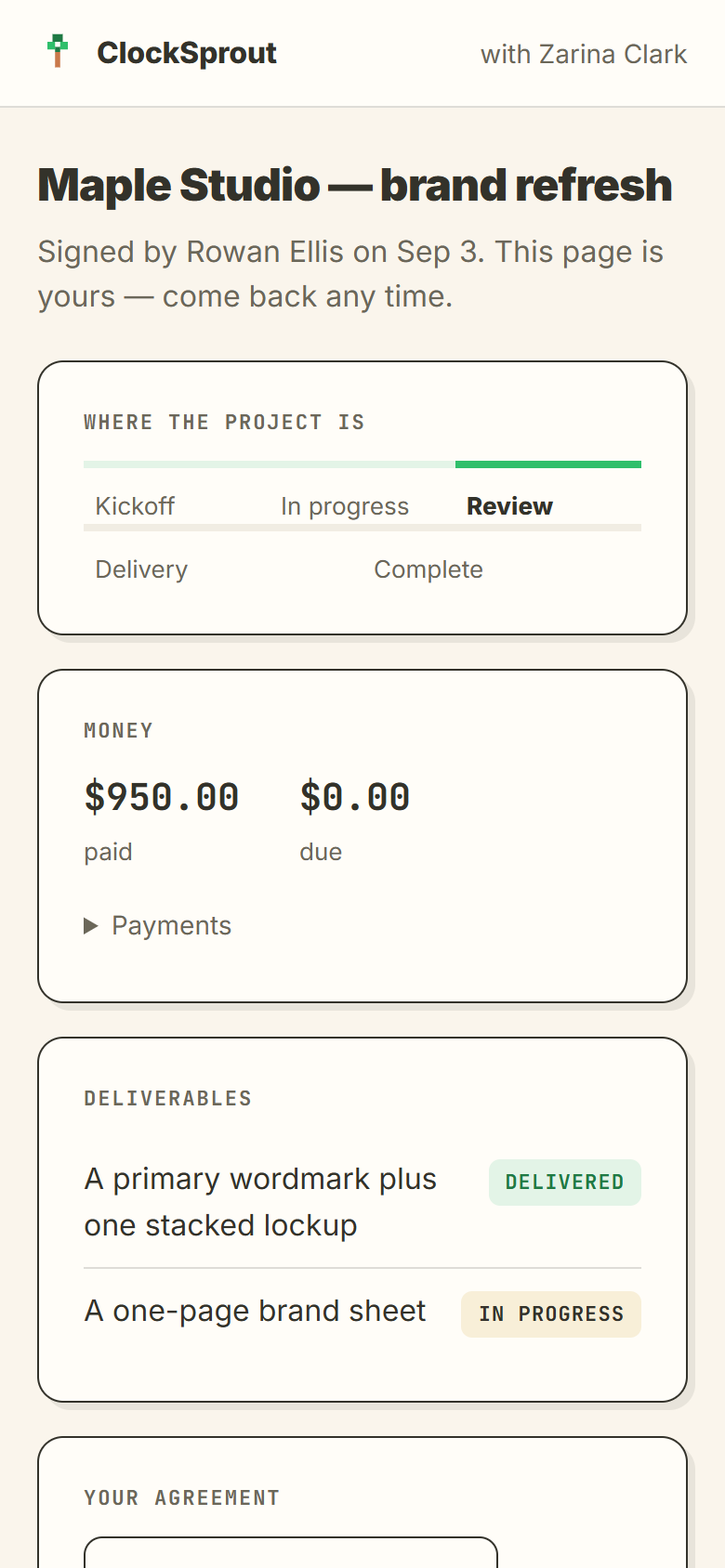
step 1: what you’re agreeing to — the deliverables, the total, and one agree & sign button step 3: due now — $950, one pay button, secure checkout by stripe the project page: where the project is, money paid and due, deliverables and their state
1read one box, sign

a one-box summary, then a typed or drawn signature.

step 1: what you’re agreeing to
2pay

card, apple pay, klarna or afterpay — straight into your own stripe.

step 3: due now — $950
3watch it happen

the same link becomes their project page: phase, deliverables, balance.

the project page
the jar · 25%
the money part

paid invoice in. a slice straight to the jar.

$0paid$0set aside$0safe to spend

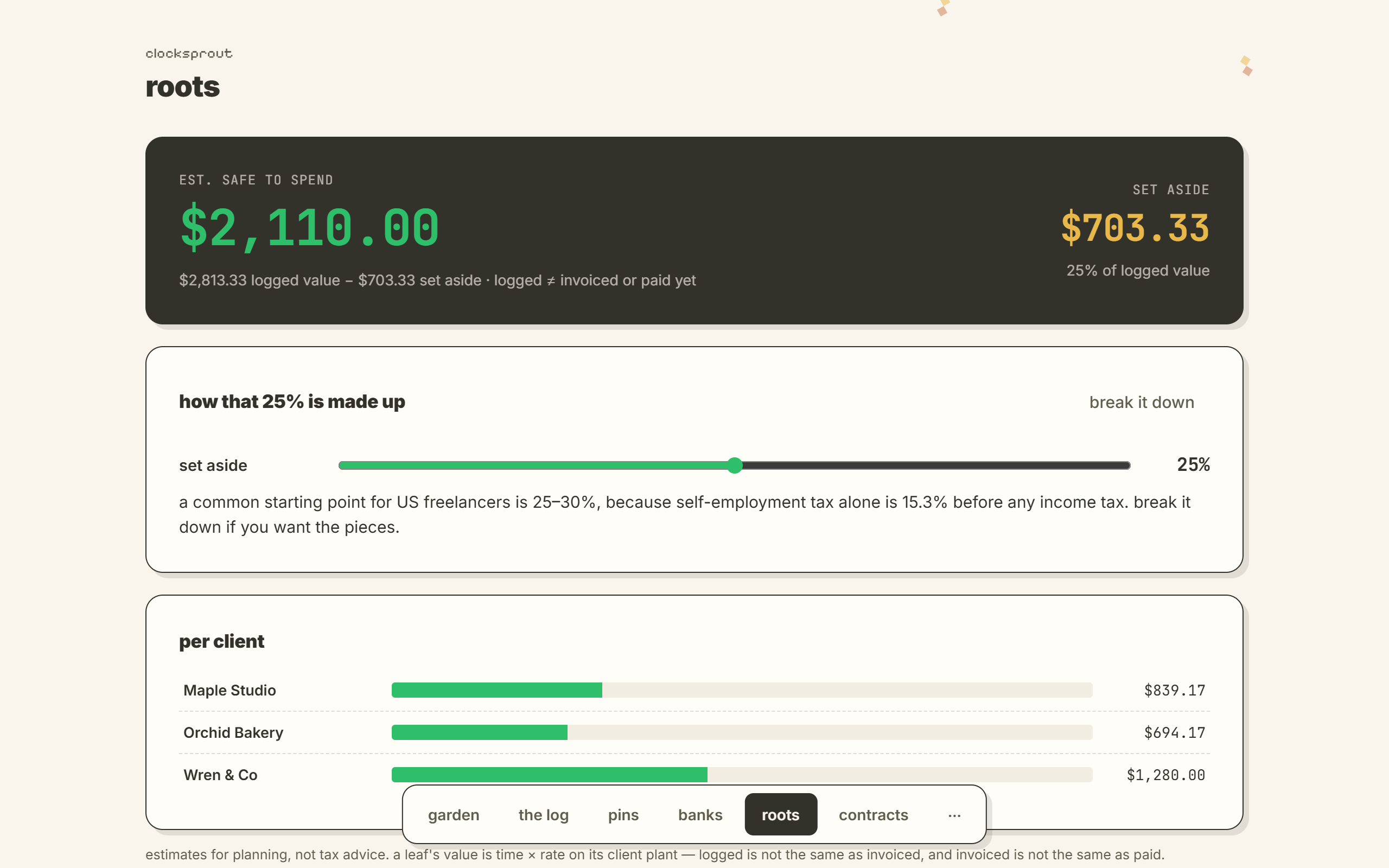
pick a percentage once. clocksprout keeps that slice out of sight and shows you what’s actually safe to spend.
get the app
the roots screen in the app: estimated safe to spend, and the slice set aside for taxes
from the betaplaceholder
“i sent the agreement on a tuesday. the client signed and paid before i’d finished my coffee — and the tax slice was already sitting in the jar.”

— [placeholder quote — replace with a real tester before launch]

a red-haired woman with a bun, chin on hand, in an olive cardigan and a clay dress, at an olive desk with a laptop and a pothos
also in the pot

the rest of it, quietly.

piggy banksbanks

set money aside for a goal, and see what it costs a day.

the almanacalmanac

spots the work you keep repeating, so you can price it with confidence.

pins & the snailpins

pins are earned, never bought. the snail only says what’s true.

watering now · maple studio
02:47:31

the timer really counts — every second, on every screen.

what we won’t budge on

three promises, in plain words.

local-first

your garden lives on your machine, not on ours. nothing leaves it unless you press send.

tamper-evident

a signature is sealed to the exact words signed. change one letter and it shows.

your stripe

payments land in your own stripe account. we never hold your money.

your pot

the garden is open.

one code, one download, nothing else. windows 10 or 11.

reserve a pot

your invite code comes by email when a pot opens.